.jpg)
As companies grow, manual processes become increasingly difficult to control. Information becomes scattered across spreadsheets, emails, messaging applications, documents, and disconnected software. Employees spend valuable time searching for updates, entering the same information into multiple systems, requesting approvals, and following up on unfinished tasks.
This is where Business Process Automation becomes essential.
Business Process Automation allows organizations to automate repetitive activities, standardize operational workflows, reduce errors, and improve collaboration across teams. Instead of relying on employees to remember every step, businesses create structured processes that execute tasks automatically based on predefined rules and conditions.
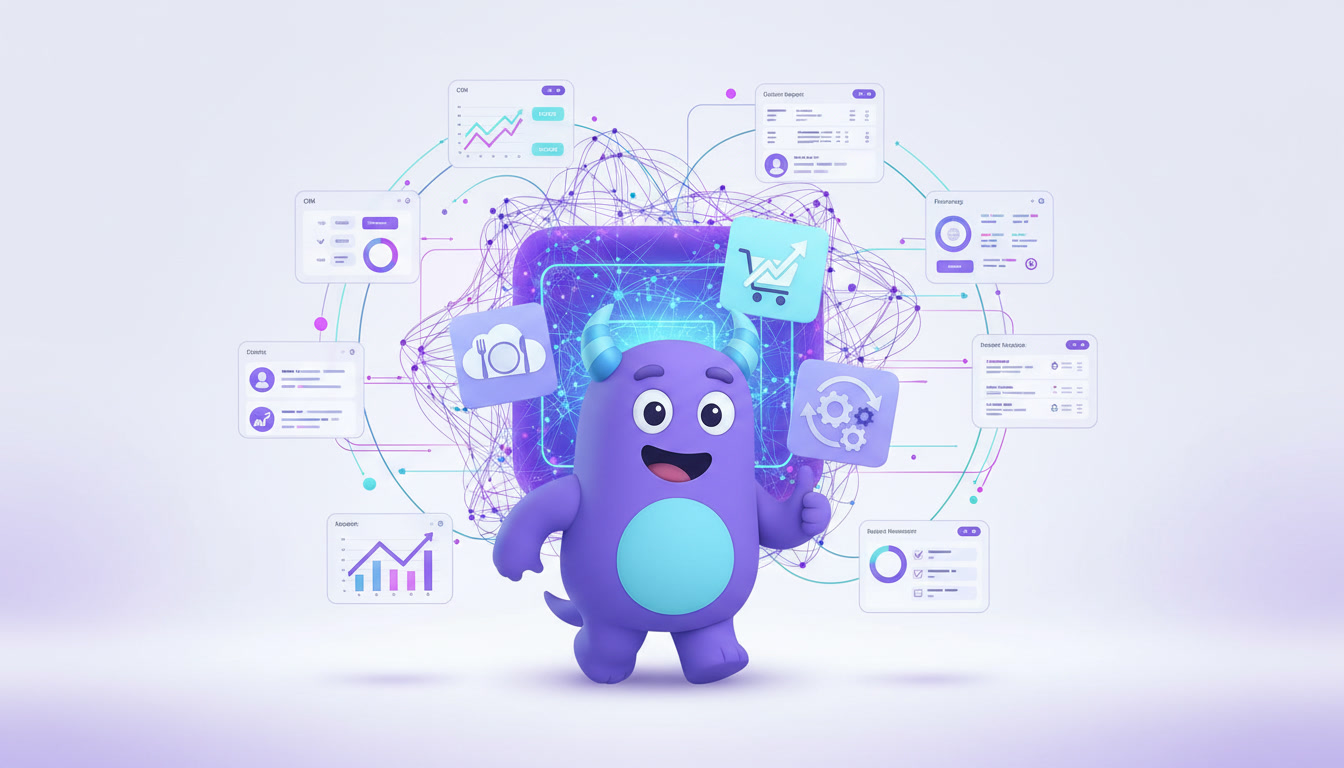
Modern Business Process Automation platforms combine workflow management, CRM, ERP, task management, reporting, integrations, analytics, and artificial intelligence into one centralized environment.
Rather than automating only individual tasks, organizations can automate complete business processes across sales, finance, customer support, human resources, marketing, inventory, purchasing, and operations.
Whether you are managing customer onboarding, invoice approvals, employee requests, sales opportunities, support tickets, inventory movements, or internal projects, Business Process Automation provides the operational structure required for sustainable growth.
What Is Business Process Automation?
Business Process Automation, commonly known as BPA, is the use of technology to automate repetitive and structured business processes with minimal manual intervention.
Instead of employees performing every activity manually, automation software executes predefined actions based on specific triggers, rules, and conditions.
These actions may include assigning tasks, sending emails, requesting approvals, updating records, generating documents, creating reminders, changing statuses, synchronizing data, preparing reports, or launching additional workflows.
The purpose of Business Process Automation is not simply to complete tasks faster.
Its broader purpose is to create consistent, predictable, measurable, and scalable business operations.
Every organization already operates through business processes, whether those processes are documented or not.
Lead qualification, customer onboarding, purchasing, invoice approval, employee recruitment, inventory replenishment, customer support, contract management, and financial reporting are all examples of business processes.
Business Process Automation transforms these activities from manually coordinated procedures into structured digital systems.
Why Business Process Automation Matters
Many operational problems are not caused by employees. They are caused by inefficient processes.
When responsibilities are unclear, information is stored across multiple systems, approvals depend on email conversations, and tasks are tracked manually, productivity naturally decreases.
Employees may forget important follow-ups, managers may not notice delays, and customers may wait longer than expected for responses.
Business Process Automation solves these problems by introducing clear rules and structured execution.
Tasks can be assigned automatically. Notifications can be sent before deadlines. Approvals can be routed to the correct manager. Customer records can be updated without manual data entry. Reports can be generated using real-time information.
As a result, employees spend less time coordinating processes and more time completing meaningful work.
Managers also gain greater visibility into operational performance because every action is recorded and measurable.
Common Business Problems BPA Solves
Growing businesses often experience similar operational challenges regardless of their industry.
Employees repeatedly enter the same information into multiple applications.
Approvals become delayed because requests are buried inside email conversations or messaging applications.
Customer inquiries remain unanswered because responsibility is unclear.
Managers spend hours requesting status updates instead of reviewing real-time information.
Tasks are forgotten because employees rely on personal reminders or spreadsheets.
Departments use different systems, making collaboration and information sharing difficult.
Reports require significant manual effort and often contain outdated data by the time they are completed.
Business Process Automation reduces these problems by connecting tasks, people, data, and systems through standardized workflows.
How Business Process Automation Works
Every automated business process begins with a trigger.
A trigger is an event that starts an automated process.
For example, a customer may submit a website form, a new lead may be created, a deal may reach a specific stage, an invoice may arrive, an employee may request vacation, or inventory may fall below a minimum quantity.
Once the trigger occurs, predefined automation rules determine what should happen next.
The system may assign a task, notify an employee, request approval, create a document, send an email, update a CRM record, calculate a value, or move the process to another stage.
Automation can also include conditions.
For example, a discount request may require manager approval only when the discount exceeds a predefined percentage.
A support ticket may be automatically escalated when it remains unanswered for a specific period.
An inventory request may be created automatically when available stock falls below the required level.
Each action is recorded, allowing managers to monitor the process and identify opportunities for improvement.
Key Components of Business Process Automation
Effective Business Process Automation usually includes several connected components.
Triggers start the process when a specific event occurs.
Business rules define how the system should respond.
Conditions determine which path the process should follow.
Tasks define the activities that employees or systems must complete.
Approvals ensure that important decisions are reviewed by authorized employees.
Notifications inform participants about new tasks, deadlines, status changes, or required actions.
Integrations connect the automated process with external applications and data sources.
Reports and dashboards provide visibility into performance, delays, completion rates, and bottlenecks.
When these components operate together, businesses gain complete control over complex operational processes.
Examples of Business Process Automation
Business Process Automation can be applied across every department of an organization.
Sales teams can automate lead assignment, qualification, follow-up reminders, proposal preparation, discount approvals, and customer onboarding.
Customer support departments can automate ticket assignment, SLA monitoring, escalation rules, customer notifications, and satisfaction surveys.
Finance teams can automate invoice approvals, payment requests, expense reporting, recurring billing, document generation, and financial reporting.
Human resources teams can automate recruitment, interview scheduling, employee onboarding, vacation requests, performance evaluations, and offboarding.
Marketing departments can automate lead nurturing, campaign approvals, email sequences, audience segmentation, publishing schedules, and performance reporting.
Operations teams can automate purchasing, inventory replenishment, supplier requests, quality control, maintenance scheduling, and internal approvals.
Project teams can automate task creation, responsibility assignment, deadline reminders, status changes, and project reporting.
Sales Process Automation
Sales processes usually involve multiple repetitive activities.
Sales representatives capture leads, qualify opportunities, schedule follow-ups, prepare proposals, request approvals, update deal stages, and communicate with potential customers.
When these activities are performed manually, important opportunities may be forgotten or delayed.
Sales automation ensures that leads are assigned immediately, follow-up tasks are created automatically, reminders are sent, and deal information remains up to date.
Managers can monitor the sales pipeline in real time and identify opportunities that require attention.
Customer Onboarding Automation
Customer onboarding often requires coordination between sales, finance, support, operations, and implementation teams.
Without automation, employees may forget important steps or request the same information multiple times.
An automated onboarding process can create customer records, assign implementation tasks, request required documents, generate contracts, notify internal departments, and schedule follow-up activities.
This creates a more consistent experience for every new customer.
Approval Process Automation
Approvals are one of the most common sources of operational delays.
Purchase requests, discounts, invoices, expenses, contracts, leave requests, and budget changes may all require approval.
When approvals are managed through email, it becomes difficult to understand who is responsible or how long the request has been waiting.
Business Process Automation routes each request to the correct approver, sends reminders, records decisions, and automatically continues the process after approval.
Organizations gain greater accountability while reducing unnecessary delays.
Invoice and Payment Automation
Finance departments often process large numbers of invoices and payment requests.
Manual processing requires employees to verify information, request approval, enter data, and update payment statuses.
Automation can capture invoice information, match it with purchase records, route it for approval, notify responsible employees, and update financial systems.
This reduces manual data entry and improves financial accuracy.
Customer Support Automation
Customer support teams must respond quickly and consistently.
Automation can classify new tickets, assign them to the correct employee, set priorities, monitor response deadlines, and escalate unresolved issues.
Customers can receive automatic confirmation messages and status notifications while support managers monitor SLA performance through dashboards.
This helps businesses provide faster and more reliable customer service.
Benefits of Business Process Automation
One of the greatest benefits of Business Process Automation is increased productivity.
Employees no longer need to spend significant time performing repetitive administrative work.
Automation also reduces human error because information is processed according to predefined rules.
Processes become faster because tasks, notifications, and approvals are executed immediately.
Collaboration improves because all participants work within the same structured process.
Managers gain real-time visibility into progress, delays, and employee workloads.
Customer experience improves because requests are handled more consistently and response times become shorter.
Organizations also reduce operational costs by completing more work without increasing administrative resources proportionally.
Business Process Automation and Operational Visibility
Manual processes make it difficult to understand what is happening across an organization.
Managers may rely on meetings, spreadsheets, or employee updates to monitor progress.
Business Process Automation creates real-time visibility because every task, approval, status change, and deadline is recorded inside the system.
Dashboards can show which processes are active, which tasks are overdue, where approvals are delayed, and which departments require attention.
This information allows leadership to make faster and more accurate decisions.
Business Process Automation vs Workflow Automation
Business Process Automation and Workflow Automation are closely related, but they are not exactly the same.
Workflow Automation focuses on automating a specific sequence of tasks.
Business Process Automation is broader and may include multiple workflows, departments, systems, approvals, and business rules.
For example, automatically assigning a support ticket is Workflow Automation.
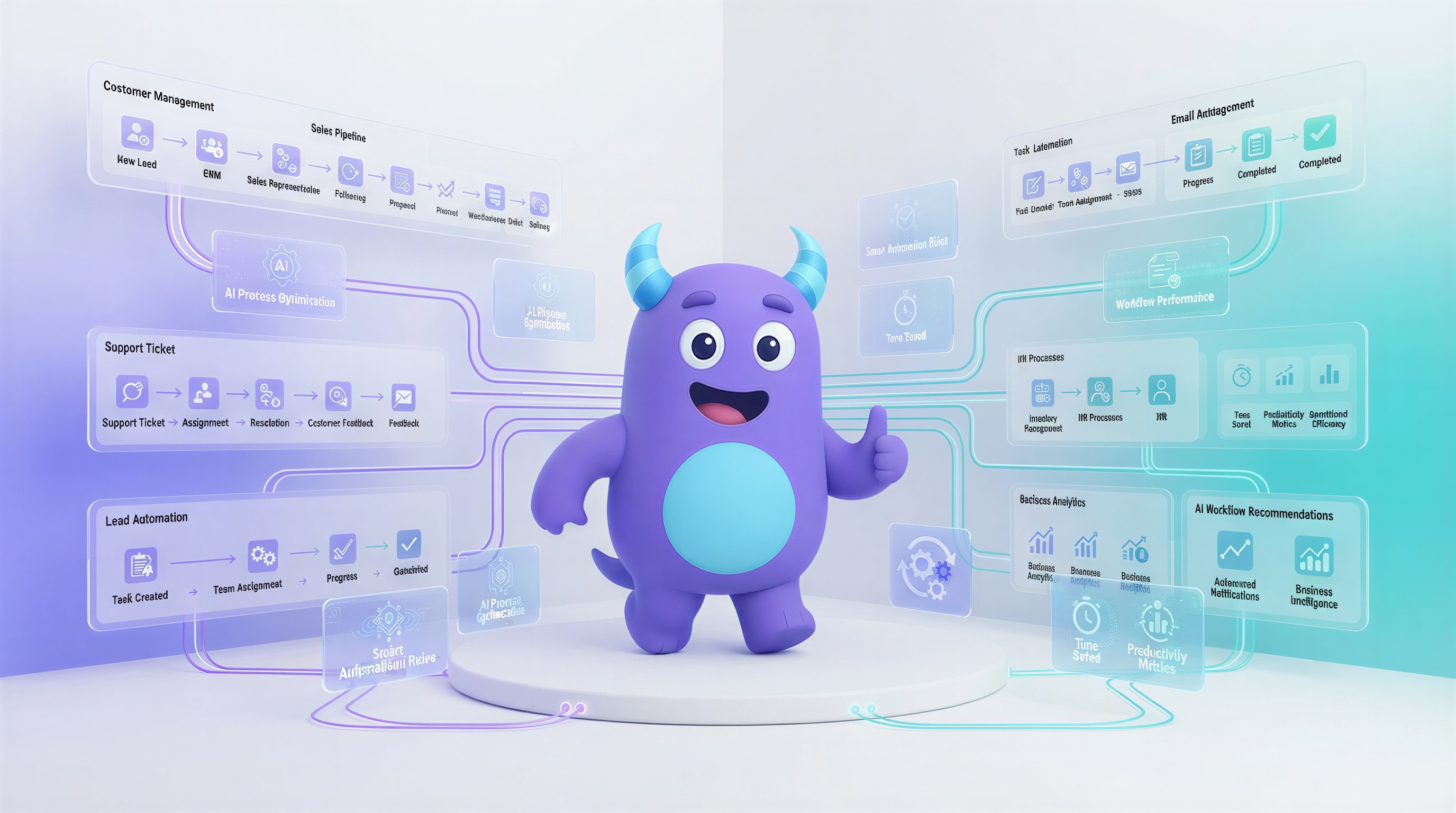
Automating the complete customer support process, including ticket creation, classification, assignment, escalation, resolution, reporting, and customer feedback, is Business Process Automation.
Learn more in our Workflow Management Guide.
Business Process Automation vs CRM
CRM software focuses primarily on managing customer relationships, leads, contacts, deals, communications, and sales activities.
Business Process Automation focuses on automating broader operational processes across multiple departments.
However, modern CRM platforms often include powerful automation capabilities.
A CRM can automate lead assignment, sales follow-ups, customer onboarding, support requests, renewals, and customer retention activities.
When CRM and BPA operate together, customer information and business processes remain connected.
Learn more in our CRM Guide.
Business Process Automation vs ERP
ERP software manages core business resources such as finance, inventory, purchasing, manufacturing, accounting, and supply chain operations.
Business Process Automation connects and automates the processes that operate around these resources.
For example, an ERP may record inventory quantities and purchasing transactions.
BPA can automatically create a purchasing request when inventory falls below a predefined level, route the request for approval, notify the supplier, and update responsible employees.
CRM, ERP, and BPA become significantly more powerful when they operate within one connected platform.
Business Process Automation vs Robotic Process Automation
Robotic Process Automation, commonly known as RPA, uses software robots to imitate repetitive human actions within existing applications.
For example, an RPA robot may copy information from one application and enter it into another.
Business Process Automation focuses on designing and automating complete operational processes.
RPA may be used as one component of a broader Business Process Automation strategy.
Artificial Intelligence in Business Process Automation
Artificial intelligence is transforming Business Process Automation.
Traditional automation follows predefined rules.
AI-powered automation can analyze information, identify patterns, recommend actions, predict delays, prioritize tasks, and assist employees with decision-making.
AI can analyze customer conversations, classify requests, summarize information, detect unusual activity, generate reports, and recommend the next best action.
Instead of only executing repetitive tasks, AI helps organizations continuously improve their processes.
Explore our AI CRM Guide.
Business Process Automation Metrics Every Business Should Track
Successful automation requires measurable performance.
Businesses should monitor average process completion time, task completion rate, approval time, number of overdue tasks, automation rate, error frequency, customer response time, employee workload, operational costs, and process bottlenecks.
Organizations should also compare performance before and after automation.
This makes it possible to measure productivity improvements, cost reductions, and customer experience changes.
Real-time analytics help managers identify which processes are performing effectively and which require further optimization.
Common Business Process Automation Mistakes
One of the most common mistakes is automating an inefficient process without improving it first.
Automation makes processes faster, but it does not automatically make them better.
Businesses should simplify unnecessary steps, clarify responsibilities, and remove duplicate activities before introducing automation.
Another mistake is creating overly complicated workflows with too many conditions and approval levels.
Complex automation becomes difficult to maintain and may reduce productivity instead of improving it.
Organizations also make mistakes when they automate isolated tasks without considering the complete end-to-end process.
Finally, businesses often fail to measure automation performance, making it difficult to understand whether the process has actually improved.
How to Identify Processes That Should Be Automated
Not every business activity needs automation.
The best candidates are repetitive processes that follow clear rules and occur frequently.
Processes that involve significant manual data entry, repeated notifications, multiple approvals, frequent errors, or long completion times are also strong candidates.
Businesses should begin by identifying which activities consume the most time or create the greatest number of delays.
They should then document the current process, remove unnecessary steps, define responsibilities, and establish measurable goals.
How to Implement Business Process Automation
Successful implementation begins with understanding the existing process.
Organizations should document how work currently moves between employees, departments, and systems.
The next step is identifying bottlenecks, duplicate activities, unnecessary approvals, and manual data entry.
Once the process has been simplified, the organization can define triggers, rules, conditions, tasks, approvals, and notifications.
The automated process should initially be tested with a limited group of users.
After implementation, performance should be monitored and improved continuously.
Employee feedback is also important because the people who perform the process every day often understand its challenges better than anyone else.
Business Process Automation for Small Businesses
Business Process Automation is not only for large enterprises.
Small businesses often benefit even more because employees usually perform multiple responsibilities simultaneously.
Automation allows smaller teams to reduce administrative work, improve accountability, and provide more consistent customer service.
A small business can automate lead follow-ups, appointment reminders, customer onboarding, invoice approvals, task assignments, and reporting without hiring additional administrative employees.
Modern automation platforms make enterprise-level process organization accessible to businesses of every size.
Business Process Automation for Growing Companies
As businesses grow, the number of customers, employees, transactions, and internal requests increases.
Processes that worked effectively for a small team may become unreliable when the organization expands.
Business Process Automation creates a scalable operational foundation.
New employees can follow standardized processes, managers can monitor larger teams, and the organization can handle more work without creating operational chaos.
Automation helps companies grow while maintaining service quality and internal control.
How Lua CRM Helps Businesses Automate Processes
Lua CRM combines Business Process Automation, CRM, ERP, workflow management, task management, customer support, reporting, analytics, and artificial intelligence in one intelligent platform.
Businesses can automate lead management, sales activities, customer onboarding, approvals, internal requests, support processes, inventory operations, reporting, and cross-department collaboration.
Tasks can be assigned automatically, deadlines can be monitored, notifications can be sent, records can be updated, and processes can move between stages without unnecessary manual coordination.
Because CRM, ERP, automation, reporting, and AI operate within the same platform, organizations gain complete visibility across their business operations.
Lua CRM helps businesses eliminate repetitive work, improve collaboration, reduce operational complexity, and create scalable processes that support long-term growth.
Frequently Asked Questions
What is Business Process Automation?
Business Process Automation is the use of technology to automate repetitive business processes based on predefined rules, conditions, and workflows.
What types of processes can be automated?
Businesses can automate sales, customer onboarding, invoice approvals, employee requests, support tickets, inventory processes, reporting, marketing activities, and many other operational workflows.
What are the main benefits of Business Process Automation?
Business Process Automation improves productivity, reduces manual work, minimizes errors, accelerates processes, improves collaboration, and increases operational visibility.
Is Business Process Automation only for large companies?
No. Small and medium-sized businesses can use automation to reduce administrative work, improve accountability, and scale more efficiently.
What is the difference between BPA and Workflow Automation?
Workflow Automation focuses on automating individual workflows, while Business Process Automation manages broader end-to-end processes involving multiple departments, systems, and workflows.
Can Business Process Automation work with CRM and ERP?
Yes. BPA becomes especially powerful when connected with CRM and ERP because customer information, operational data, and automated processes remain within one connected environment.
How does artificial intelligence improve automation?
AI can analyze data, predict delays, prioritize work, classify requests, recommend actions, summarize information, and help organizations continuously optimize their processes.
Final Thoughts
Every growing business eventually reaches a point where manual processes become a limitation.
Business Process Automation provides the structure needed to organize operations, reduce repetitive work, improve collaboration, and create consistent business processes.
Automation allows employees to focus on customers, strategy, problem-solving, and growth instead of spending valuable time on routine administrative activities.
When Business Process Automation is combined with CRM, ERP, workflow management, reporting, analytics, and artificial intelligence, organizations gain complete control over their operations.
Businesses that invest in well-designed automation create faster teams, more reliable processes, better customer experiences, lower operational costs, and stronger long-term growth.
.png)