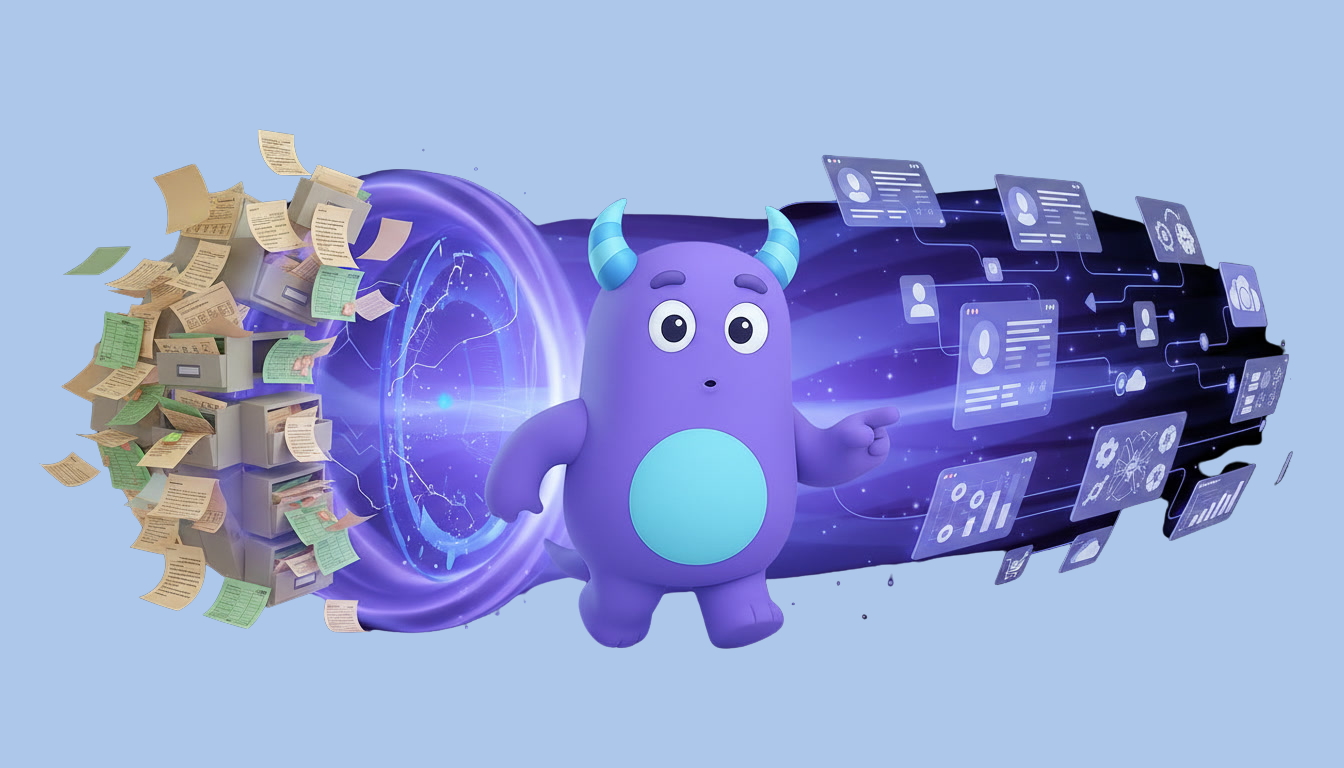
Yrityksen kasvaessa näiden toimintojen hallinta manuaalisesti muuttuu yhä vaikeammaksi. Myyntiedustajat käyttävät huomattavan paljon aikaa tietojen syöttämiseen, muistutusten luomiseen, taulukoiden päivittämiseen, asiakastietojen etsimiseen ja rutiininomaiseen hallinnolliseen työhön sen sijaan, että he keskittyisivät myymiseen.
Tässä vaiheessa myynnin automaatiosta tulee todellinen käänteentekijä.
Myynnin automaatio auttaa yrityksiä automatisoimaan toistuvia myyntitoimintoja ohjelmistojen, työnkulkujen ja tekoälyn avulla. Manuaalisiin prosesseihin tukeutumisen sijaan organisaatiot voivat jakaa liidejä automaattisesti, ajoittaa seurantoja, lähettää personoituja sähköposteja, päivittää CRM-tietoja, luoda tarjouksia, ilmoittaa myyntipäälliköille ja seurata myyntiputken jokaista vaihetta.
Nykyaikaiset myynnin automaatioalustat yhdistävät CRM:n, työnkulkujen automaation, tekoälyn, raportoinnin, asiakkuuksien hallinnan ja liiketoimintatiedon hallinnan yhdeksi keskitetyksi alustaksi, joka auttaa organisaatioita myymään tehokkaammin ja samalla parantamaan asiakaskokemusta.
Olitpa sitten startup-yritys, pk-yritys tai suuryritys, myynnin automaatio auttaa tiimiäsi käyttämään vähemmän aikaa hallinnolliseen työhön ja enemmän aikaa asiakassuhteiden rakentamiseen ja kauppojen päättämiseen.
Mitä on myynnin automaatio?
Myynnin automaatiolla tarkoitetaan teknologian hyödyntämistä toistuvien ja aikaa vievien myyntitoimintojen automatisoinnissa koko asiakaspolun varrella.
Sen sijaan, että myyntiprosessin jokaista vaihetta hallittaisiin manuaalisesti, ohjelmisto suorittaa rutiinitehtävät automaattisesti ennalta määritettyjen sääntöjen, työnkulkujen tai tekoälyn perusteella.
Näitä tehtäviä voivat olla esimerkiksi liidien jakaminen, seurantatoimenpiteiden ajoittaminen, sähköpostien lähettäminen, CRM-tietojen päivittäminen, muistutusten luominen, tarjousten laatiminen, hyväksyntöjen pyytäminen ja asiakasvuorovaikutuksen seuranta.
Myynnin automaatio ei korvaa myynnin ammattilaisia. Sen sijaan se poistaa rutiininomaisen hallinnollisen työn, jolloin myyntitiimit voivat keskittyä keskusteluihin, suhteiden rakentamiseen, neuvotteluihin ja kauppojen klousaamiseen.
Miksi myynnin automaatio on tärkeää?
Nykypäivän asiakkaat odottavat nopeita vastauksia, personoitua viestintää ja johdonmukaista palvelua koko ostopolun ajan.
Kun myyntitiimit tukeutuvat manuaalisiin prosesseihin, vastausajat pitkittyvät, seurannat unohtuvat, asiakastiedot vanhenevat ja arvokkaita mahdollisuuksia menetetään usein.
Myynnin automaatio varmistaa, että jokainen liidi saa huomiota ajoissa, ja auttaa samalla myyntiedustajia pysymään järjestelmällisinä koko myyntisyklin ajan.
Yritykset saavat myös paremman näkyvyyden myyntiputken kehitykseen, työntekijöiden tuottavuuteen, konversioprosentteihin ja tuleviin liikevaihtoennusteisiin.
Taulukoiden ja muistutusten hallinnan sijaan myyntitiimit voivat keskittyä itse myyntiin.
Miten myynnin automaatio toimii?
Jokainen automatisoitu myyntiprosessi alkaa käynnistimestä.
Käynnistin voi olla esimerkiksi se, että asiakas lähettää yhteydenottolomakkeen, pyytää demon, lataa dokumentin, vastaa sähköpostiin, varaa tapaamisen tai siirtyy uuteen vaiheeseen myyntiputkessa.
Kun käynnistys tapahtuu, ennalta määritetyt automaatiosäännöt suorittavat seuraavat toiminnot automaattisesti.
Järjestelmä voi osoittaa liidin oikealle myyjälle, luoda seurantatehtäviä, ajoittaa muistutuksia, lähettää personoituja sähköposteja, ilmoittaa esihenkilöille, päivittää CRM-tietoja, luoda tarjouksia tai käynnistää muita työnkulkuja.
Jokainen vuorovaikutustilanne tallennetaan, mikä tarjoaa täydellisen näkyvyyden asiakaspolkuun.
Manuaalinen myynti vs. myynnin automaatio
Perinteiset myyntiprosessit perustuvat vahvasti manuaaliseen työhön.
Myyntiedustajat päivittävät CRM-tietoja manuaalisesti, muistavat seurantapäivämäärät, etsivät asiakastietoja, valmistelevat tarjouksia yksitellen ja seuraavat myyntimahdollisuuksia taulukoiden tai omien muistiinpanojen avulla.
Nämä manuaaliset toiminnot vievät arvokasta myyntiaikaa ja lisäävät samalla inhimillisten virheiden riskiä.
Myynnin automaatio korvaa nämä toistuvat tehtävät älykkäillä työnkuluilla, jotka suoritetaan automaattisesti.
Tämän ansiosta myyntitiimeistä tulee tuottavampia, järjestelmällisempiä ja nopeammin reagoivia.
Liidien hallinnan automaatio
Liidien hallinta on yksi myynnin automaation arvokkaimmista sovelluksista.
Sen sijaan, että jokainen saapuva liidi tarkistettaisiin manuaalisesti, yritykset voivat kerätä liidejä automaattisesti verkkosivustoilta, laskeutumissivuilta, mainoskampanjoista, sosiaalisesta mediasta ja sähköpostimarkkinoinnista.
Liidejä voidaan jakaa alueen, toimialan, kielen, tuotekiinnostuksen, työmäärän tai muiden liiketoimintasääntöjen perusteella.
Tekoäly voi myös pisteyttää liidejä sen mukaan, kuinka todennäköisesti heistä tulee asiakkaita, jolloin myyntitiimit voivat priorisoida arvokkaimmat mahdollisuudet.
Seurannan automaatio
Monet myyntimahdollisuudet menetetään, koska seurantatoimenpiteitä ei koskaan tehdä.
Myynnin automaatio varmistaa, ettei yksikään asiakas unohdu.
Järjestelmä luo automaattisesti seurantatehtäviä, ajoittaa muistutuksia, lähettää personoituja sähköposteja ja ilmoittaa myyntiedustajille, kun asiakkaalta vaaditaan toimenpiteitä.
Tämä luo johdonmukaisen asiakaskokemuksen ja parantaa samalla konversioprosentteja.
Sähköpostiautomaatio
Sähköposti on edelleen yksi myynnin tärkeimmistä viestintäkanavista.
Myynnin automaation avulla yritykset voivat lähettää automaattisesti tervetuliaisviestejä, seurantaviestejä, tapaamisvahvistuksia, tarjousilmoituksia, maksumuistutuksia ja asiakkaan käyttöönottoon liittyviä sähköposteja.
Toistuvien sähköpostien manuaalisen lähettämisen sijaan myyntiedustajat voivat personoida viestintää samalla kun automaatio huolehtii ajoituksesta ja toimituksesta.
Myyntiputken automaatio
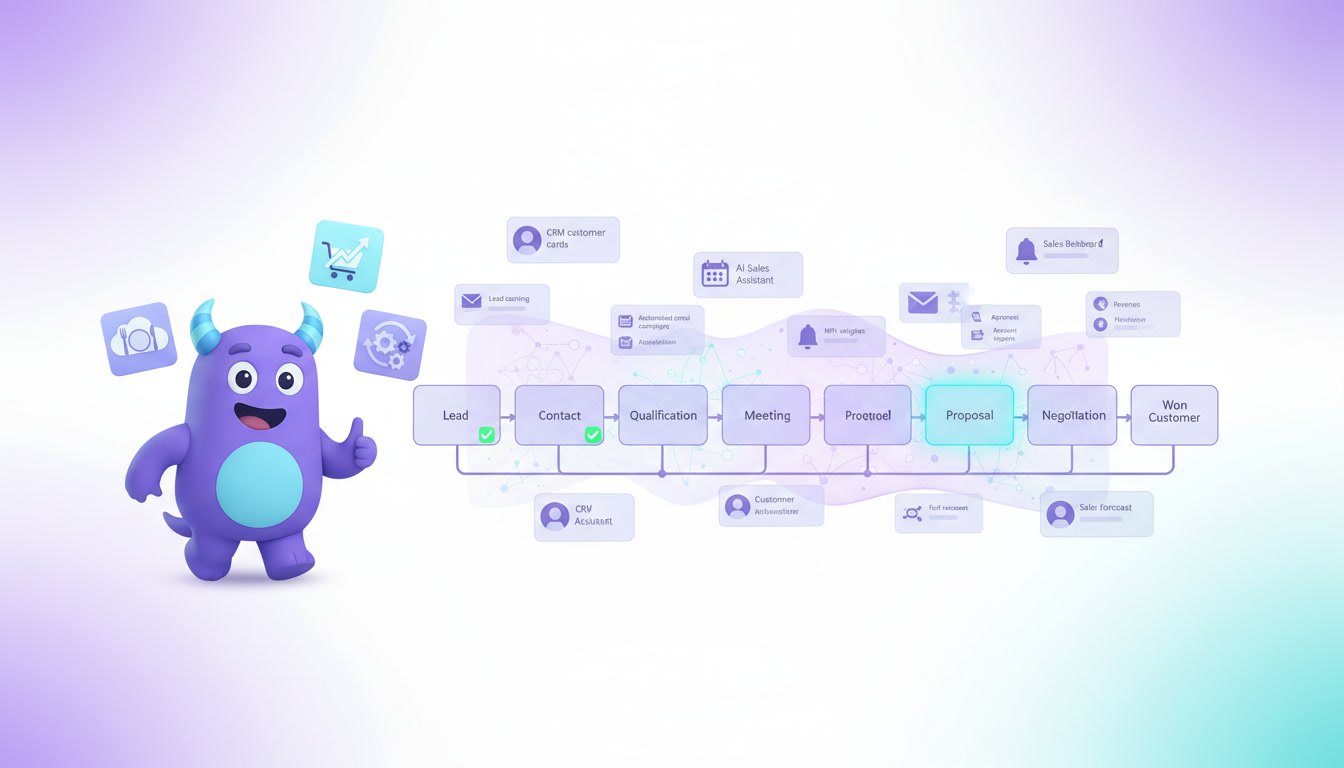
Jokainen myyntimahdollisuus etenee useiden vaiheiden läpi ennen asiakkaaksi tulemista.
Myyntiautomaatio päivittää myyntiputken vaiheet automaattisesti asiakkaan toimien tai suoritettujen aktiviteettien perusteella.
Tehtävät, muistutukset, hyväksynnät ja ilmoitukset voivat kaikki käynnistyä aina, kun kauppa etenee seuraavaan vaiheeseen.
Esimiehet saavat reaaliaikaisen näkymän myyntiputken tehokkuuteen, ja myyntiedustajat tietävät aina seuraavan prioriteettinsa.
Tarjousten automaatio
Tarjousten manuaalinen valmistelu vie usein huomattavasti aikaa.
Myyntiautomaatio voi luoda ammattimaisia tarjouksia käyttämällä valmiita malleja, tuotetietoja, hinnoittelusääntöjä ja CRM-järjestelmään tallennettuja asiakastietoja.
Yritykset vähentävät hallinnollista työtä samalla kun ne parantavat johdonmukaisuutta ja vähentävät hinnoitteluvirheitä.
Hyväksyntöjen automaatio
Alennuspyynnöt, erikoishinnoittelut, sopimusmuutokset ja räätälöidyt tarjoukset vaativat usein johdon hyväksynnän.
Myyntiautomaatio ohjaa pyynnöt oikeille hyväksyjille, tallentaa jokaisen päätöksen, lähettää muistutuksia ja jatkaa myyntiprosessia automaattisesti hyväksynnän jälkeen.
Organisaatiot välttävät tarpeettomat viivästykset ja säilyttävät samalla asianmukaisen liiketoiminnan valvonnan.
Tehtäväautomaatio
Myyntiedustajat hallitsevat kymmeniä aktiviteetteja joka päivä. He sopivat tapaamisia, valmistelevat tarjouksia, päivittävät myyntimahdollisuuksia, vastaavat sähköposteihin, seuraavat prospekteja ja viestivät nykyisten asiakkaiden kanssa.
Myyntiautomaatio poistaa suuren osan tästä rutiinityöstä luomalla tehtäviä automaattisesti aina, kun tiettyjä liiketoimintatapahtumia ilmenee.
Esimerkiksi sen jälkeen, kun asiakas on lähettänyt yhteydenottolomakkeen, järjestelmä voi osoittaa liidin myyjälle, luoda seurantatehtävän, ajoittaa muistutuksen ja ilmoittaa asiasta heti kyseiselle työntekijälle.
Esimiehet voivat seurata tehtävien valmistumista, ja työntekijät saavat selkeät prioriteetit ilman päivittäisen työkuormansa manuaalista järjestelyä.
CRM ja myyntiautomaatio
Asiakkuuksien hallinta (CRM) ja myyntiautomaatio toimivat yhdessä parantaakseen asiakaspolun jokaista vaihetta.
CRM tallentaa asiakastiedot, viestintähistorian, myyntimahdollisuudet, asiakirjat ja myyntitapahtumat.
Myyntiautomaatio käyttää näitä tietoja käynnistääkseen älykkäitä työnkulkuja, jotka vähentävät manuaalista työtä ja parantavat johdonmukaisuutta.
Esimerkiksi kun myyjä päivittää kaupan vaiheen CRM-järjestelmässä, automaatio voi heti luoda seurantatehtäviä, ilmoittaa esimiehille, sopia tapaamisia, valmistella tarjouksia tai lähettää personoituja sähköposteja.
Lue lisää CRM-oppaastamme.
Tekoäly myyntiautomaatiossa
Tekoäly muuttaa myyntiautomaatiota perinteisiä sääntöpohjaisia työnkulkuja pidemmälle.
Sen sijaan, että tekoäly vain suorittaisi ennalta määritettyjä toimintoja, se voi analysoida asiakkaiden käyttäytymistä, suositella seuraavaa parasta toimenpidettä, priorisoida myyntimahdollisuuksia, tiivistää keskusteluja, luoda personoituja sähköposteja, ennustaa kauppojen tuloksia ja tunnistaa välitöntä huomiota vaativat asiakkaat.
Tekoälypohjaiset avustajat auttavat myyntiedustajia käyttämään vähemmän aikaa hallinnolliseen työhön ja enemmän aikaa asiakassuhteiden rakentamiseen.
Esimiehet hyötyvät myös ennustavasta analytiikasta, joka ennustaa liikevaihtoa, tunnistaa myyntiputken riskejä ja suosittelee parannuksia myyntiprosessiin.
Myyntiautomaation hyödyt
Myyntiautomaatio tuo mitattavia parannuksia koko myyntiorganisaatioon.
Yritykset lisäävät tuottavuuttaan, koska toistuva hallinnollinen työ hoituu automaattisesti.
Myyntiedustajat reagoivat nopeammin uusiin liideihin, tekevät seurantaa johdonmukaisemmin ja viettävät enemmän aikaa viestimällä asiakkaiden kanssa.
Esimiehet saavat täyden näkyvyyden myynnin suorituskykyyn reaaliaikaisten raporttinäkymien ja analytiikan avulla.
Organisaatiot vähentävät inhimillisiä virheitä, parantavat ennusteiden tarkkuutta, lyhentävät myyntisyklejä, nostavat konversioprosentteja ja tarjoavat paremman asiakaskokemuksen.
Viime kädessä myyntiautomaatio mahdollistaa yritysten liikevaihdon kasvattamisen ilman hallinnollisen työmäärän suhteellista kasvua.
Yleisimmät virheet myyntiautomaatiossa
Yksi yleisimmistä virheistä on yrittää automatisoida tehotonta myyntiprosessia.
Yritysten tulisi ensin yksinkertaistaa ja standardoida myynnin työnkulkunsa ennen automaation käyttöönottoa.
Toinen yleinen virhe on luoda liikaa automaatiosääntöjä, mikä tekee järjestelmästä vaikeasti ymmärrettävän ja ylläpidettävän.
Organisaatioiden tulisi myös välttää inhimillisen tekijän poistamista myynnistä. Automaation tulisi tukea myyntiedustajia – ei korvata merkityksellisiä asiakassuhteita.
Automaation suorituskyvyn säännöllinen tarkastelu auttaa varmistamaan, että työnkulut tukevat edelleen liiketoiminnan tavoitteita.
Myyntiautomaation parhaat käytännöt
Onnistunut myyntiautomaatio alkaa selkeästi määritellyistä myyntiprosesseista.
Yritysten tulisi dokumentoida asiakaspolun jokainen vaihe, tunnistaa toistuvat toiminnot, määrittää automaation käynnistimet ja asettaa mitattavat suorituskyvyn mittarit.
Automaatio tulisi ottaa käyttöön asteittain, jotta työntekijät ehtivät sopeutua, samalla kun työnkulkuja parannetaan jatkuvasti todellisten liiketoimintatulosten perusteella.
Organisaatioiden tulisi myös integroidaa myyntiautomaatio CRM-, raportointi-, analytiikka- ja asiakastukijärjestelmiin yhtenäisen asiakaskokemuksen luomiseksi.
Myyntiautomaatio pienyrityksille
Myyntiautomaatio ei ole vain suuria yrityksiä varten.
Pienyritykset hyötyvät usein vieläkin enemmän, koska pienemmät myyntitiimit hoitavat useita vastuualueita samanaikaisesti.
Automaatio vähentää hallinnollista työtä, parantaa organisointia, varmistaa oikea-aikaiset seurannat ja antaa myyntiedustajille mahdollisuuden keskittyä asiakassuhteiden rakentamiseen taulukoiden ja muistutusten hallinnan sijaan.
Nykyaikaiset pilvipohjaiset CRM-alustat tuovat suuryritystason myynnin automaation kaikenkokoisten yritysten ulottuville.
Miten Lua CRM auttaa yrityksiä automatisoimaan myyntiä
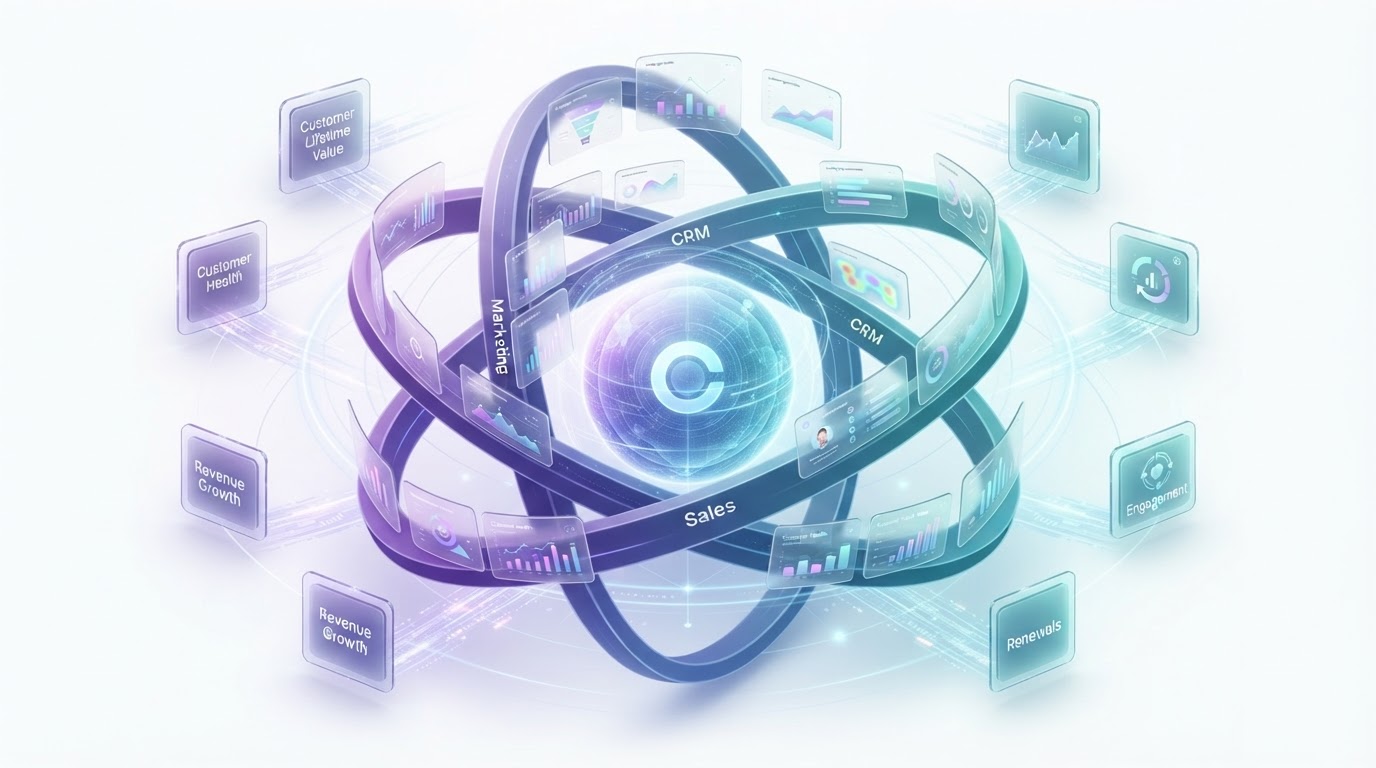
Lua CRM yhdistää CRM:n, myynnin automaation, työnkulkujen hallinnan, tekoälyn, raportoinnin, analytiikan ja liiketoimintaprosessien automaation yhdeksi älykkääksi alustaksi.
Yritykset voivat automaattisesti kerätä liidejä, jakaa myyntimahdollisuuksia, aikatauluttaa seurantoja, hallita asiakasviestintää, luoda tarjouksia, automatisoida hyväksyntöjä, seurata myyntiputkia ja analysoida suorituskykyä ilman tarvetta tukeutua useisiin erillisiin sovelluksiin.
Tekoäly tehostaa myyntiprosessia entisestään suosittelemalla seuraavia toimenpiteitä, tiivistämällä keskusteluja, priorisoimalla mahdollisuuksia ja auttamalla myyntitiimejä päättämään kauppoja tehokkaammin.
Yhdistämällä automaation, CRM:n, analytiikan ja tekoälyn Lua CRM antaa organisaatioille mahdollisuuden rakentaa nopeampia, älykkäämpiä ja skaalautuvampia myyntitoimintoja.
Usein kysytyt kysymykset
Mitä on myynnin automaatio?
Myynnin automaatio tarkoittaa ohjelmistojen käyttöä toistuvien myyntitoimintojen, kuten liidien jaon, seurantojen, sähköpostiviestinnän, tehtävien luomisen ja myyntiputken hallinnan, automatisointiin.
Mitkä ovat myynnin automaation hyödyt?
Myynnin automaatio parantaa tuottavuutta, vähentää manuaalista työtä, kasvattaa konversioprosentteja, lyhentää myyntisyklejä, parantaa ennustamista ja auttaa myyntitiimejä vastaamaan asiakkaille nopeammin.
Voivatko pienet yritykset hyötyä myynnin automaatiosta?
Kyllä. Myynnin automaatio auttaa pieniä yrityksiä organisoimaan myyntitoimintoja, parantamaan seurantoja, vähentämään hallinnollista työtä ja kasvamaan tehokkaammin.
Miten tekoäly parantaa myynnin automaatiota?
Tekoäly voi priorisoida liidejä, suositella seuraavia toimenpiteitä, tiivistää asiakaskeskusteluja, ennustaa kauppojen lopputuloksia, luoda personoitua viestintää ja tarjota älykkäitä myyntihavaintoja.
Onko myynnin automaatio sama asia kuin CRM?
Ei. CRM hallitsee asiakastietoja ja -suhteita, kun taas myynnin automaatio automatisoi toistuvia toimintoja, joita tapahtuu pitkin myyntiprosessia. Yhdessä ne luovat tehokkaamman ja järjestelmällisemmän myyntitoiminnan.
Loppusanat
Nykyaikaiset myyntiorganisaatiot eivät voi enää luottaa täysin manuaalisiin prosesseihin. Asiakkaiden odotusten kasvaessa yritykset tarvitsevat älykkäitä järjestelmiä, jotka auttavat myyntitiimejä vastaamaan nopeammin, pysymään järjestelmällisinä ja rakentamaan vahvempia asiakassuhteita.
Myynnin automaatio tarjoaa tarvittavan rakenteen toistuvan työn automatisointiin samalla kun se parantaa tuottavuutta, toiminnan näkyvyyttä ja yleistä myyntitulosta.
Yhdistettynä CRM:ään, työnkulkujen automaatioon, raportointiin, analytiikkaan ja tekoälyyn myynnin automaatiosta tulee yksi arvokkaimmista investoinneista, joita organisaatio voi tehdä kasvun vauhdittamiseksi ja asiakaskokemuksen parantamiseen.
Yritykset, jotka ottavat myynnin automaation käyttöön tänään, asemoivat itsensä myymään tehokkaammin, skaalautumaan nopeammin ja pysymään kilpailukykyisinä yhä digitaalisemmilla markkinoilla.
.jpg)
.jpg)