
Service businesses operate inside highly dynamic environments. Customer inquiries arrive constantly, teams manage overlapping projects, schedules shift daily, invoices must be generated on time, and managers require real-time insight into performance. In the early stages of growth, these activities are often coordinated manually through emails, spreadsheets, messaging tools, and ad-hoc meetings.
As volume increases, however, this approach becomes fragile. Employees spend hours chasing information, approvals slow delivery, and leaders lose confidence in forecasts and reports. What once felt flexible begins to feel chaotic.
Workflow automation replaces these fragile manual handoffs with structured, system-driven processes. Instead of relying on memory or individual discipline, companies embed logic into their platforms so work progresses automatically. Below are twelve automation ideas that modern service organizations use to protect margins, increase productivity, and scale with confidence.
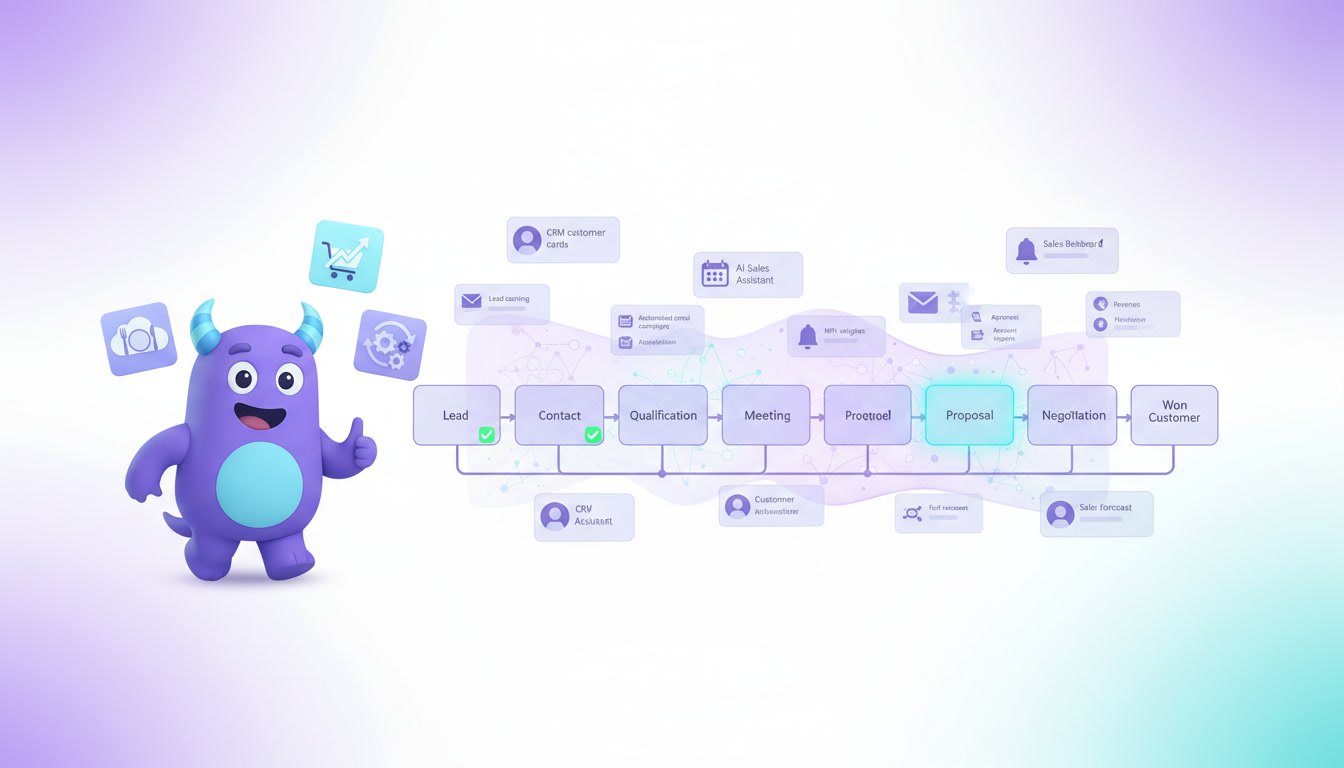
1. Lead Capture and Routing
Automation can collect inquiries from websites, landing pages, ads, emails, and chat widgets and instantly create records inside the system. Leads are then routed to the correct salesperson or team based on geography, service type, workload, or customer segment.
This prevents inquiries from being forgotten and shortens response time, which directly improves conversion rates. Managers also gain transparency into pipeline flow without manual data entry.
2. Follow-Up Scheduling
When proposals are sent or meetings completed, systems can automatically create follow-up tasks, reminders, and deadlines. Emails can be scheduled in advance, and notifications appear for the responsible team member.
This removes dependence on memory and ensures that prospects are contacted consistently, even when teams are busy or turnover occurs.
3. Proposal and Contract Generation
Once an opportunity reaches a certain stage, automation can generate proposals or contracts from templates, pulling client details, pricing, and scope directly from records.
This reduces preparation time, standardizes documents, and lowers the risk of errors or missing clauses.
4. Project Kickoff Creation
Winning a deal can automatically trigger project creation, populate predefined task lists, assign default roles, and schedule milestones. Delivery begins immediately without waiting for manual coordination between sales and operations.
This handoff is one of the most common breakdown points in growing service businesses. Automation ensures continuity.
5. Task Assignment Based on Role
Rules can distribute tasks to engineers, consultants, designers, or technicians based on skill sets, certifications, availability, or workload.
Balanced distribution prevents burnout, reduces idle capacity, and helps maintain predictable delivery timelines.
6. Approval Workflows
Discounts, procurement requests, budget changes, and scope adjustments can follow automated approval chains. Managers receive notifications, decisions are logged, and escalation happens if deadlines pass.
This removes email bottlenecks and ensures financial and operational discipline as the company grows.
7. Time Tracking and Cost Allocation
Employee hours logged against projects can automatically update budgets, utilization metrics, and profitability dashboards. Material usage and subcontractor costs can be added in real time.
Instead of waiting until month-end to discover margin problems, leaders can intervene while projects are still active.
8. Invoice Creation and Payment Reminders
When milestones are completed or hours approved, invoices can be generated automatically and sent to customers. Payment reminders follow predefined schedules to reduce late payments.
This protects cash flow and reduces the administrative burden placed on finance teams.
9. Customer Status Updates
Clients can receive automatic progress notifications, appointment confirmations, delivery alerts, and feedback requests.
Transparent communication improves trust, reduces inbound support questions, and creates a more professional service experience.
10. Exception Alerts
Automation can monitor deadlines, budgets, workload spikes, or stalled approvals and notify managers before problems escalate.
These early warnings help organizations correct course instead of reacting after damage has occurred.
11. Performance Reporting
Dashboards update continuously with KPIs such as revenue, pipeline value, utilization rates, project delivery speed, and billing status.
Leadership no longer waits for monthly spreadsheets. Decisions are made using live data.
12. Onboarding New Employees
Hiring triggers onboarding workflows that assign training tasks, provision system access, schedule meetings, and track progress.
This shortens ramp-up time and ensures consistent standards across teams and locations.
Conclusion
Workflow automation is not about replacing people. It is about eliminating friction that prevents skilled teams from doing their best work. By systemizing repetitive actions, service businesses create consistency, speed, and financial control.
Organizations that invest in automation early avoid the chaos that often accompanies growth. Processes scale smoothly. Reporting becomes reliable. Employees focus on delivering value rather than coordinating systems.
In competitive service markets, well-designed workflows are no longer a luxury. They are the foundation that allows companies to grow sustainably, protect margins, and serve customers at a high standard year after year.
.jpg)

.jpg)